

Description
depixelate image Convert into High-Quality by Skin Sharpening Magic Retouch Action
How to depixelate image Convert into High-Quality by Skin Sharpening Magic Retouch Action. Several other free Photoshop tools also exist to improve your image quality. De-pixelate Images and Convert into High-Quality Photo in Photoshop Actions ATN file, Just one click. Please stay with us. I will go to the show on How to de-pixelate images and Convert into High-Quality image in Photoshop.
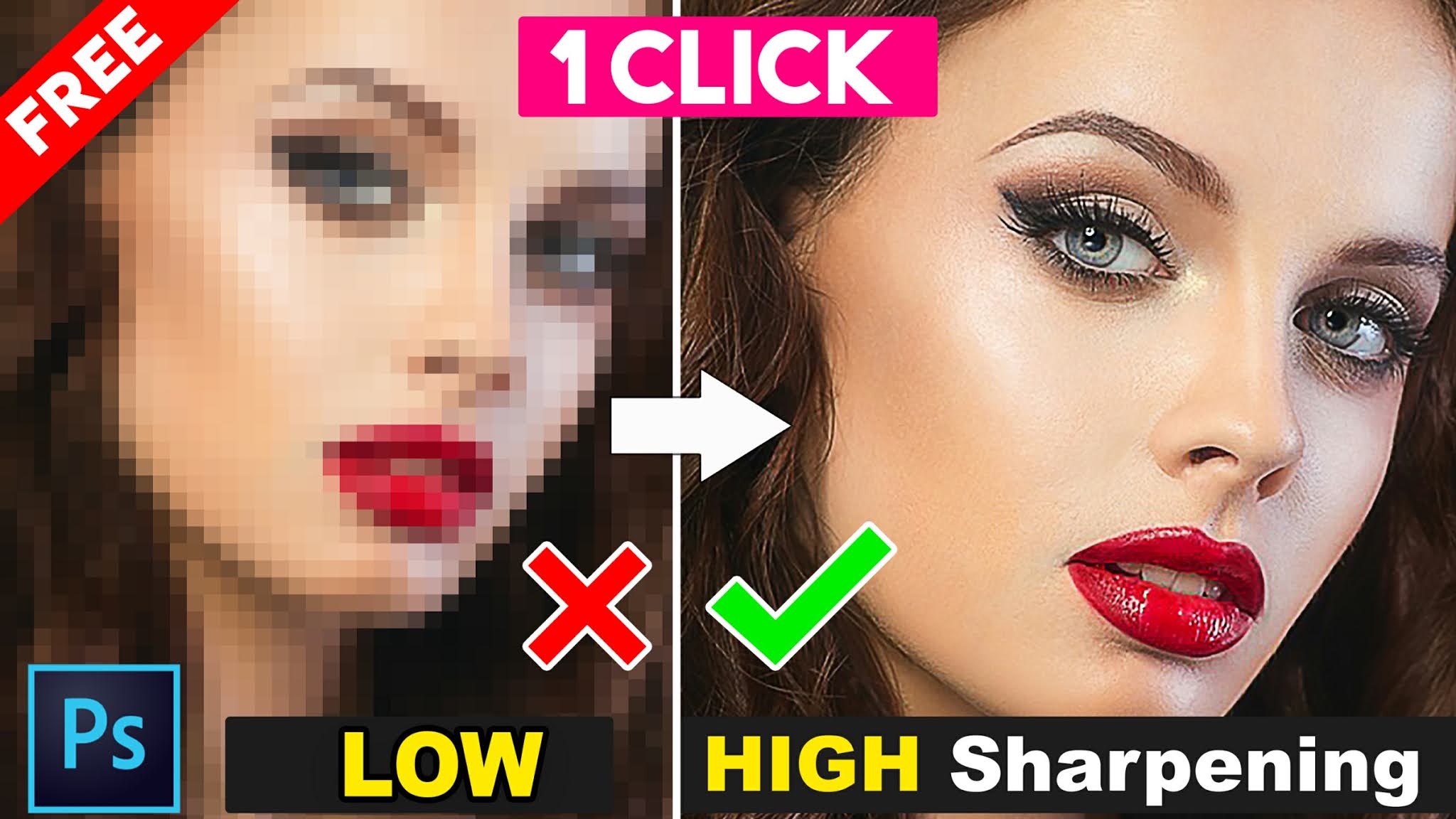
In this tutorial, you can learn How to de-pixelate images convert a low-resolution Photo into High Resolution and good quality images. Remove pixels from a photo during Big/large size use. convert the low-quality photo into a high-quality photo using Just Adobe Photoshop any versions.
In this video what will you get?
How to de-pixelate images Sharpening and convert into High-Quality photo in Photoshop.
1 Click How to De-pixelate Images and Convert into High-Quality image in Photoshop Actions. convert low-resolution image to high resolution online free. convert low-resolution images to high resolution in Photoshop, how to fix a pixelated image in Photoshop.
how to increase the resolution of the image in Photoshop without losing quality, convert low-resolution image to high resolution online free. how to make low-resolution pictures high resolution online, Convert low-resolution logo to high resolution. convert low-resolution image to high-resolution app, how to convert normal image to HD image.
There are no reviews yet.